So you've heard the hype about Fall Guys: Ultimate Knockout – the wildly popular battle royale where 60 jellybean-like contestants compete in chaotic obstacle courses. But first, you need to get the game! This comprehensive guide covers every single method to download Fall Guys in 2024, including exclusive tips from top players and developers.
1. Is Fall Guys Really Free? 🤔
Yes! Since transitioning to a free-to-play model in June 2022, Fall Guys is completely free to download and play on all supported platforms. The game monetizes through a Season Pass (Battle Pass), cosmetic items, and in-game currency called "Show-Bucks." You can enjoy the full game experience without spending a dime, but purchasing the Season Pass unlocks additional cosmetic rewards. For a deeper dive into the free-to-play transition, check our analysis on is fall guys free.
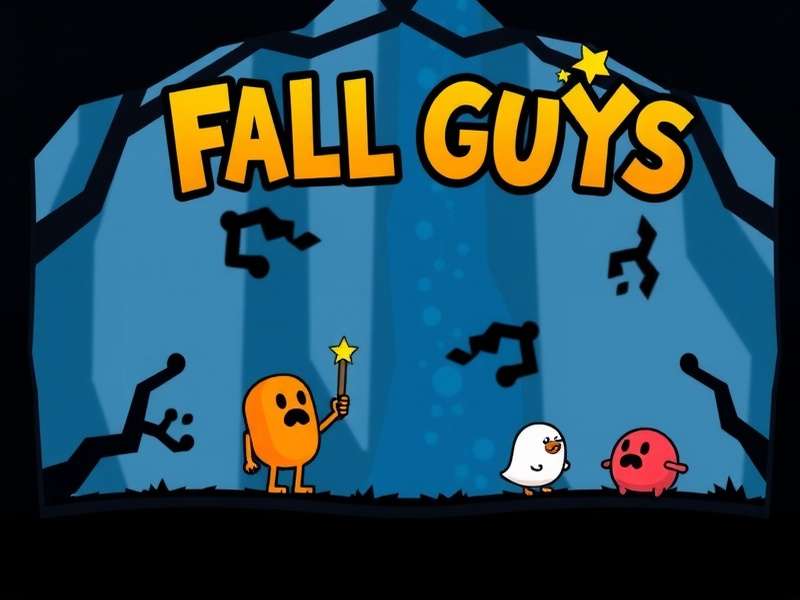
Fall Guys' vibrant characters in the middle of a chaotic race. The game is now free-to-play on all platforms.
2. Fall Guys Download: Platform-by-Platform Guide
Where you download Fall Guys depends entirely on your platform. Below is the complete breakdown.
2.1 PC Download (Windows)
PC players have two primary storefronts to choose from:
Epic Games Store (Recommended)
Since the free-to-play transition, the Epic Games Store is the official home for Fall Guys on PC. Here's how:
- Visit the Epic Games Store Fall Guys page
- Click the big "GET" button
- Log in or create a free Epic Games account
- Complete the download via the Epic Games Launcher
Pro Tip: Make sure you have the Epic Games Launcher installed. The download size is approximately 2-3GB, but allow extra space for updates and future seasons. For troubleshooting specific to Windows 10, see our detailed guide on fall guys download pc free windows 10.
Steam (Legacy)
Fall Guys was originally released on Steam. While you can no longer purchase it there, existing owners can still play. New players cannot download it via Steam unless they purchase a legacy Steam key from third-party sites (not recommended). If you already own it on Steam, you can link your account to Epic Games. Read our guide on fall guys steam account to epic games for the migration process.
2.2 Console Downloads
Available on PS4 and PS5 via the PlayStation Store. Search "Fall Guys" and select "Download". PS5 version has enhanced graphics and faster load times.
PS StoreOn Xbox One and Xbox Series X/S, go to the Microsoft Store, search for Fall Guys, and hit "Install". Cross-play is enabled by default.
Microsoft StoreFind it on the Nintendo eShop. Performance is solid in handheld and docked modes. Check our fall guys switch review for detailed performance analysis.
Nintendo eShop3. System Requirements & Specs
Fall Guys isn't a demanding game, but here's what you need for a smooth experience:
| Component | Minimum | Recommended |
|---|---|---|
| OS | Windows 10 64-bit | Windows 10/11 64-bit |
| CPU | Intel Core i5 or AMD equivalent | Intel Core i5-8400 / AMD Ryzen 5 2600 |
| RAM | 8 GB | 8 GB |
| GPU | NVIDIA GTX 660 / AMD Radeon HD 7950 | NVIDIA GTX 1060 / AMD Radeon RX 580 |
| Storage | 5 GB available space | 10 GB SSD |
Note: Internet connection required. For mobile devices, you can play via cloud gaming services like Xbox Cloud Gaming (requires Game Pass Ultimate).
4. Common Download Issues & Fixes
❌ "Download Failed" or Stuck at 0%
This is often a server-side issue or connection problem. Try:
- Restarting your router and PC/console
- Pausing and resuming the download
- Changing your DNS to Google DNS (8.8.8.8, 8.8.4.4)
- For Epic Games Launcher, verify the game files via the Library
⚠️ "Not Enough Storage Space"
Even though Fall Guys is relatively small, ensure you have at least 10GB free for installation and future updates. Clear cache or uninstall unused games.
🔗 Account Linking Problems
If you're migrating from Steam or linking cross-progress, visit the official Fall Guys support site. Ensure you're using the correct Epic Games account.
5. Gameplay Tips While You Download
As your download progresses, here's what you can do to prepare:
- Watch Tutorials: Understanding mini-game mechanics gives you a head start.
- Join Communities: Discord servers and subreddits are great for finding squads.
- Check Server Status: Visit fall guys online for real-time server status and outage reports.
- Learn the anatomy of a fall guy: Understanding character physics improves your maneuvering.
6. The Future of Fall Guys: Downloads & Content
Mediatonic (the developer) releases seasonal updates every few months, each introducing new rounds, costumes, and features. These updates are free and automatically download if you have the game installed. The download size for a new season is typically 1-2GB.
Rumors persist about potential story modes or spin-offs – imagine a the fall guy cast in an animated series! For now, the core experience remains the chaotic battle royale we love.
7. Final Verdict
The Fall Guys download process is straightforward and free. The Epic Games Store is your best bet for PC, while console players can grab it from their respective digital stores. With cross-play and cross-progression, you can play with friends regardless of platform. So what are you waiting for? Dive into the blunderdome and start your journey to become a Crown winner!
For those seeking the complete, unadulterated experience, we discuss what constitutes the full game in our dedicated article. And if you're still looking for a direct download fall guys pc free link, remember to always use official sources to avoid malware.
Search for More Guides
Can't find what you're looking for? Search our extensive library of Fall Guys guides and tutorials.
Rate This Guide
How helpful was this Fall Guys download guide?
Community Comments
Share your download experience or ask questions below!