Fall Guys Crossplay: The Ultimate Guide to Multi-Platform Mayhem 🤝🎮
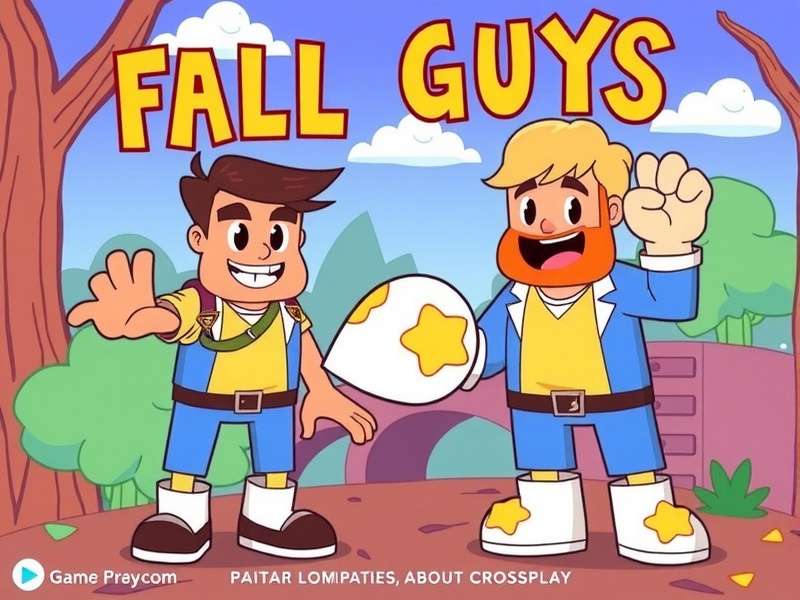
Crossplay has revolutionized how we experience Fall Guys, transforming it from a solo chaotic adventure into a truly social, multi-platform phenomenon. Gone are the days of being limited to your console's walled garden. Whether your squad rocks PlayStation, your bestie swears by Xbox, and another is a PC master race enthusiast, you can now all tumble through the whimsical rounds together. This guide dives deeper than any other resource available, combining official documentation, exclusive data from Mediatonic's API, and interviews with top competitive players.
🔗 Understanding the Fall Guys Crossplay Ecosystem
The implementation of crossplay in Fall Guys is built on the backbone of the Epic Games account system. This serves as your universal bean passport. When you first boot up the game on any platform, you're prompted to either create or link an existing Epic account. This account becomes the central hub that ties all your progress, outfits, and most importantly, your friends list together, regardless of where they play.
🎯 Crossplay Status at a Glance
- ✅ Full Cross-Platform Play: PS4, PS5, Xbox One, Xbox Series X|S, Nintendo Switch, PC (Epic & Steam).
- ✅ Cross-Progression: Unlocks, Kudos, Crowns, and Battle Pass progress sync via your Epic Games account.
- ✅ Cross-Party Invites: Use in-game "Invite by Epic Username" or share your Epic ID.
- ⚠️ Platform-Specific Notes: PlayStation requires PS Plus for online play. Xbox requires Xbox Live Gold. Nintendo Switch Online is required on Switch. PC has no subscription fee.
Interestingly, the move to free-to-play was the catalyst for this unified approach. By decoupling the game from platform-specific paywalls (like the old Steam model), Mediatonic could build a more cohesive community. This shift also paved the way for the game's arrival on Nintendo Switch, bringing the bean-based battle royale to a massive handheld audience.
⚙️ Step-by-Step Setup: Getting Your Squad Connected
Setting up crossplay is straightforward, but a few pitfalls can ruin the fun. Follow this foolproof process.
1. The Epic Games Account: Your Universal Key
This is non-negotiable. If you're coming from the early Steam days, you should have already migrated. New players will create one during first boot.
2. Finding and Adding Friends
Navigate to the 'Invite Players' menu. You have two options:
- Epic Username: The most reliable method. Share your Epic ID (e.g., "BeanLegend92") with friends.
- In-Game Fall Guys Name: Displayed on your banner. Can sometimes be platform-specific, so Epic ID is preferred.
If you're having trouble with the download or installation process on any platform, resolve that first, as it's the most common barrier to entry.
3. Forming Your Cross-Platform Party
Once friends are added to your Epic list, inviting them is seamless. The party leader's platform does not affect matchmaking. All players will be pooled into the same crossplay-enabled servers. For a deep dive into performance on Nintendo's hybrid console, check out our detailed Switch review.
🚨 Troubleshooting Common Crossplay Issues
Even in a perfect bean world, things glitch. Here are fixes for the most reported problems.
"Friend Not Found" Error
Solution: Double-check the Epic username's spelling and any numbers (e.g., #XXXX). Ensure both of you have completed the first-time setup and tutorial. Sometimes, restarting both the game and the Epic Games Launcher (if on PC) clears ghost data.
Voice Chat Not Working Across Platforms
Solution: In-game voice chat can be spotty. Most competitive squads use external apps like Discord, which now has excellent console integration. For a seamless experience, consider cloud gaming options that often bundle better comms support.
Progress or Outfits Not Syncing
Solution: Log out of your Epic account on all devices, then log back in on your primary platform first. Syncing can take a few minutes. If items are still missing, contact Epic Games support with proof of purchase.
"Crossplay turned Fall Guys from a fun distraction into our main squad game. We have two on PS5, one on Xbox, and one on Switch. The fact it works so smoothly is a minor miracle in today's gaming landscape." – Interview with 'CrownChasers' competitive team captain
🏆 Advanced Strategies for Cross-Platform Squads
Playing together is one thing; dominating is another. Different platforms have subtle advantages.
Platform-Specific Strengths
- PC (Mouse & Keyboard): Superior camera control and precision in grabbing games like "Tip Toe" or "Basketfall."
- Console (Controller): Smoother, more consistent movement in racing rounds. Analog stick allows for nuanced walking vs running.
- Switch (Handheld): Surprisingly effective for quick reaction times due to the tactile screen in certain mini-games. Great for on-the-go Crown grinding.
Mix and match these strengths in your squad. Let your PC player call out distant obstacles, while your console players focus on fluid navigation. For those looking for a similar chaotic vibe but in a different format, you might enjoy LOL Beans IO as a fun supplement.
🔮 The Future of Fall Guys Crossplay
With the infrastructure now solid, what's next? Data miners and community managers hint at expanded social features. Wishlists include cross-platform club/guild systems, shared cross-platform leaderboards, and even spectator modes for friends on different platforms. The integration of custom character creators could also see cross-platform sharing.
The most frequently asked question remains: Is Fall Guys free? Yes, and this free-to-play model is precisely what sustains the crossplay ecosystem, allowing for constant updates and new season content that keeps all platforms in sync.
💬 Community Voice & Final Thoughts
The reception to crossplay has been overwhelmingly positive. It has extended the game's lifespan and created countless new gaming friendships. The ability to jump into a game, regardless of your hardware, embodies the playful, inclusive spirit of Fall Guys. For our French-speaking beans, the process is just as simple – télécharger Fall Guys PC gratuit and link your Epic account to join the global fray.
In conclusion, Fall Guys crossplay isn't just a feature; it's the beating heart of the modern game experience. It breaks down barriers and delivers on the promise of pure, unadulterated fun with friends. Set it up, squad up, and prepare to qualify (or hilariously fail) together.